UnHackMe
•  Greatis •  AppDatabase •  Utilities •  Delphi/CB •  Visual Basic • .NET •  Outsourcing

UnHackMe - First BootWatch AntiRootkit
 UnHackMe     Entire site
Choose one
For home users

Professional - for anticrime squad

Roaming - for admins

Enterprise - for small and large business

Education

Free TDL Rootkit Detector

Info
Warrior Benefits

Features

ScreenShots

How it works

Download

Rootkit Testing

FAQ

UnHackMe for beginners...

One-click purchase
UnHackMe Single

UnHackMe Family

UnHackMe Business

UnHackMe Family+Business

UnHackMe Roaming

UnHackMe Pro

Download trial
UnHackMe
Forums
Greatis Forum

Home Download Order Support Press Room   Newsletter Your shopping cart ?
RegRun Warrior - Removing rootkits is best done from the outside!

RegRun Warrior

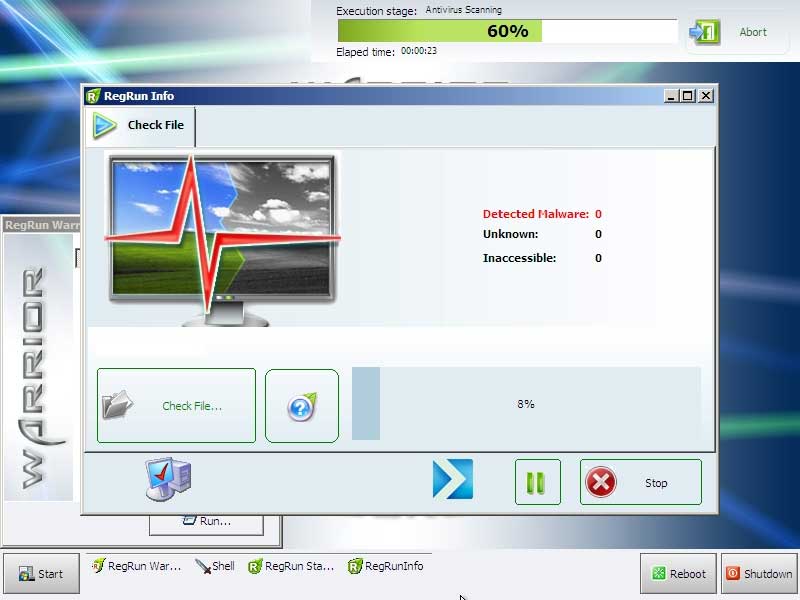
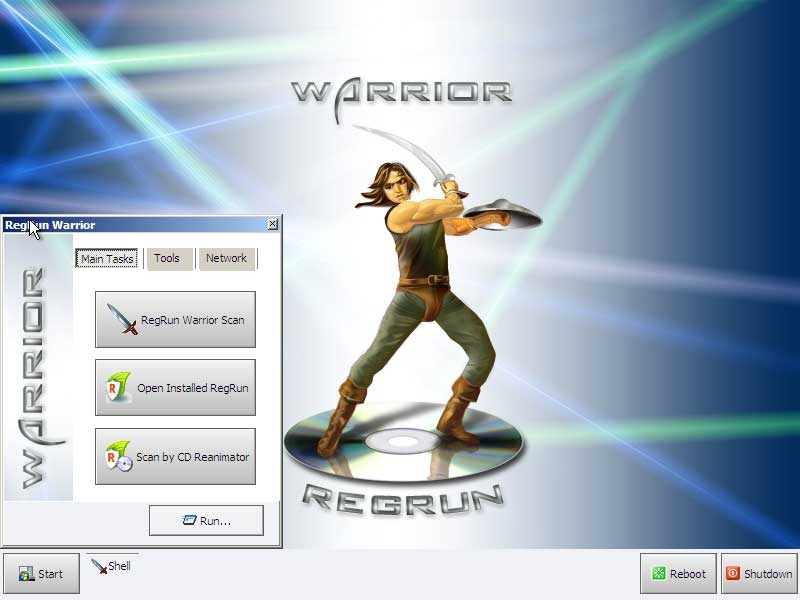
RegRun Warrior offers you a way to quickly detect and remove hidden rootkits/viruses/malware from your computer using the special boot CD.

Put the Warrior CD into your CD-drive and restart your computer!

Warrior automatically scans your computer and gets back to the normal Windows mode.


New! Examiner! is supported by Warrior since UnHackMe 5.9.
Benefits of using Warrior

1. Virus removal is simple when the virus is not active. The Warrior allows you to scan your computer from the "clean" Windows PE system.

2. Auto scanning. One time open and configure the Warrior. After that set your BIOS settings for boot from the CD. Press any key when you see the prompt for boot from CD, otherwise the computer will start from hard drive.

3. Full power. You can easily remove malware from your computer, delete or restore files. The hidden rootkits are now fully visible!

4. No need to update Warrior CD.  You pay only one time. Warrior is quite unlike the Bart PE or UnHackMe Live. It uses the software installed on your hard drive. It uses the antiviral databases stored on your hard drive and made exclusions. This will help you to avoid a lot of false positive alerts. Simply update your RegRun/UnHackMe software and Warrior will use the latest version.

5. Warrior may be used if your computer does not boot. You can check the hard drive for errors or launch another software from your hard drive or from USB stick.


RegRun Warrior  Price List
UnHackMe Single + Warrior CD $39.95
UnHackMe Single + Warrior download (for burning your CD) $34.90
UnHackMe Family License + Warrior CD $49.95
UnHackMe Business License + Warrior CD $49.95
UnHackMe 2 Single + 2 Warrior CD $60.00
RegRun Warrior CD $19.95
RegRun Warrior download (for burning your CD) $14.95

System Requirements

  1. The computer with Windows 2000/XP/2003/Vista/2008/Seven.
  2. CD-ROM.
  3. RAM 512 Mb or higher.
  4. RegRun Security Suite or UnHackMe.

Video Lesson: how to use RegRun Warrior


Screenshots


FAQ/Tips

  1. I opened Warrior.exe but the "Install" button is disabled.
    You have no RegRun Suite/UnHackMe on your computer.
    You need to install RegRun Suite 6.7 or UnHackMe 5.7.
    Free Reanimator is not supported.
  2. What is the hidden file c:\regrun.war?
    It's the configuration file for RegRun Warrior. It's required for using Warrior.
  3. Does Warrior work on the server?
    Warrior CD made using Microsoft Vista WAIK. It detects most of well known hardware. But for some RAID controllers you need to use specific drivers.
  4. Can I connect to the Internet?
    Try to click Network button. If your network adapter is recognized you will get TCP/IP address from DHCP server.
  5. Can I skip Warrior auto scanning?
    You can temporarily disable auto scanning if you hold the CTRL button before Warrior desktop appears.
  6. Some features are in the development now. When they will be available and how can I upgrade Warrior?
    We plan to release published features in the RegRun 7. You will need to upgrade your RegRun and download updated Warrior.exe.

Support

Please, visit our support center: Ask your question
They say

My PC had gotten a bad rootkit
that my ISP antivirus software (powered by McAfee) could not detect, nor could fix. I sought a solution on the Internet and discovered your product and tried out the trial.
You quickly found the rootkit and SAVED my PC!
I haven't had any problems since, and I'm extremely grateful.

Jeff

Bob Rankin

What's new?
January 23 2012

Released UnHackMe 2012 Build: 397!


November 3 2011

Morto Removal Video

July 27 2011

Popureb.E Rootkit Removal Video

Zero Access Rootkit Removal Video

Released


All News...


Now Google Search is redirected in Windows 64 bit too if you are infected by TDL3++ (also known as TDL4).


RegRun Warrior download (for burning your own CD)


Resolving problem with


Awards
Paul's Picks
Shareware Winner  

More...


Greatis Software Greatis | Security | AppDatabase | Utilities | Delphi/CB | Visual Basic | .NET | Outsourcing

Contacts | Add to Favorites | Recommend to a Friend | Privacy Policy | Copyright © 1998-2012 Greatis Software

tumblr hit counter