Nostalgia .Net • WinEvent
Component for tracking low-level system-wide events
"The Microsoft Windows operating system includes a feature, called WinEvents, that enables processes and applications running on the Windows desktop to exchange certain types of information. Accessibility tools that use Microsoft UI Automation and Microsoft Active Accessibility are among the primary users of the WinEvents.
In the context of accessibility, UI Automation providers and Microsoft Active Accessibility servers use WinEvents to notify clients of changes in an application UI, such as when a UI element has been created or destroyed, or when an element name, state, or value has changed."
(From MSDN)
WinEvent is very powerful, but unappreciated, so, for instance, we can found using of the system-wide hook for tracking the mouse position, but there is no examples of WinEvent using for the same purpose. WinEvent can, for example, track the mouse cursor changes throughout the system, report changing of size and position of any window in the system, track switching active windows and much more. Of course, native Win32 way is not most simple and convenient, but Nostalgia .Net has special WinEvent component that allows to have all the power of WinEvent and to have no problems with coding at the same time.
WinEvent components offers many specialized events:
| SystemAlert |
Occurs for system alert events. |
| WindowForeground |
Occurs when foreground window is changed. |
| MenuStart |
Occurs when menu is started. |
| MenuEnd |
Occurs when menu is closed. |
| MenuPopupStart |
Occurs when popup menu is started. |
| MenuPopupEnd |
Occurs when popup menu is closed. |
| CaptureStart |
Occurs when mouse is captured. |
| CaptureEnd |
Occurs when mouse capture was released. |
| MoveSizeStart |
Occurs when window is being moved or resized. |
| MoveSizeEnd |
Occurs when the movement or resizing of a window has finished. |
| ContextHelpStart |
Occurs when window has entered context-sensitive Help mode. |
| ContextHelpEnd |
Occurs when window has exited context-sensitive Help mode. |
| ScrollingStart |
Occurs when scrolling has started on a scroll bar. |
| ScrollingEnd |
Occurs when scrolling has ended on a scroll bar. |
| SwitchStart |
Occurs when the user has pressed ALT+TAB, which activates the switch window. |
| SwitchEnd |
Occurs when the user has released ALT+TAB. |
| MinimizeStart |
Occurs when a window object is about to be minimized. |
| MinimizeEnd |
Occurs when a window object has been minimized. |
| ObjectCreate |
Occurs when object has been created. |
| ObjectDestroy |
Occurs when object has been destroyed. |
| ObjectShow |
Occurs when hidden object is shown. |
| ObjectHide |
Occurs when object is hidden. |
| ObjectReorder |
Occurs when container object has added, removed, or reordered its children. |
| ObjectFocus |
Occurs when object has received the keyboard focus. |
| ObjectSelection |
Occurs when selection within a container object has changed. |
| ObjectSelectionAdd |
Occurs when child within a container object has been added to an existing selection. |
| ObjectSelectionRemove |
Occurs when item within a container object has been removed from the selection. |
| ObjectSelectionWithin |
Occurs when numerous selection changes have occurred within a container object. |
| ObjectStateChanged |
Occurs when object's state has changed. |
| ObjectLocationChanged |
Occurs when object has changed location, shape, or size. |
| ObjectNameChanged |
Occurs when object's Name property has changed. |
| ObjectValueChanged |
Occurs when object's Value property has changed. |
| WinEventHook |
Occurs for each WinEvent event. |
In addition to events Nostalgia .Net declares special enum types for using instead of Win32's constants in event handlers, so you don't need to use numeric constants even in handler of raw WinEventHook event.
Just activate component at runtime from your code and enjoy:
winEvent.Active = true;
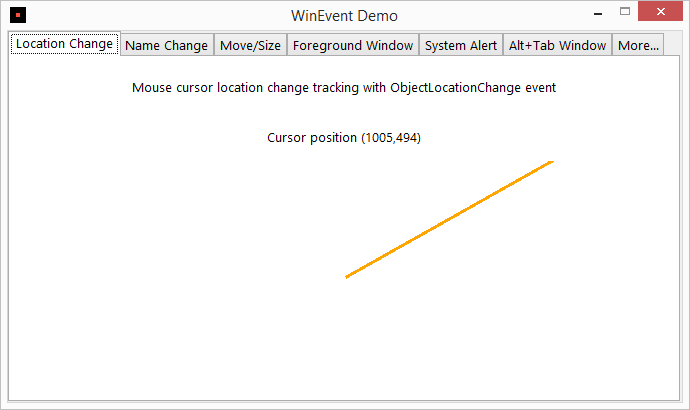
As you can see in the demo source codes, you need only several lines of native C# code to access all the power of WinEvent.
Download free trial version
Order Nostalgia .Net right now!