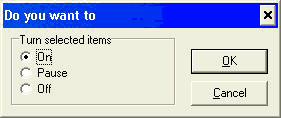
Operations with multiple items
RegRun allows you to operate with multiple items.
This is a powerful and useful feature.
It works on any list in RegRun.
To select more than one item, use the key CTRL and Shift.
1. Hold the CTRL key and click on the items by turns.
2. With the Shift button you can fast select many items.
Click on the first item.
Press Shift and hold it.
Click on the last item.
To get the popup menu click the right mouse button.
Select the command.
Command that works with multiple items:
1. Turn On/Pause/Off.
2. Copy to.
3. Move to.
RegRun converts items while moving or copying.